Pooya is a modular Persian accounting system for Windows and Android. You buy only the modules you need — inventory, POS, manufacturing, installments, subsidiary accounting or the report designer — and add the rest later without reinstalling or migrating data.
Everything a growing Iranian business needs, in one system that never forces you to pay for what you do not use.
Automatic double-entry documents
Every sales, purchase and return invoice — and each of the 15 receipt and payment operations — writes a balanced double-entry document. Editing or deleting an invoice rebuilds or removes its document too, so the ledgers never drift from operations.
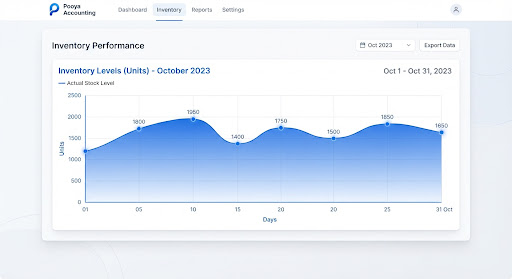
Perpetual or periodic — your choice, as a company setting. Live stock levels, reorder alerts and multi-warehouse control.
Touch POS
Restaurant tiles or supermarket barcode entry, plus a separate kitchen receipt printer.
Multi-user on the network
Concurrent users with access levels. The seat limit lives on your licence and can be raised at any time.
Windows and Android
One database, two clients. What you record at the office appears on the phone immediately.
Beyond bookkeeping
Answers, not just records
Ledgers that always reconcile
General ledger, subsidiary ledger and trial balance are generated from the same documents your invoices wrote — there is no separate reconciliation step to forget.
Cheques and due dates in view
Register, track and report cheques by status, so nothing matures unnoticed.
Your data stays yours
The database runs on your own server. Backups are one click away, from inside the software.
New
Beyond accounting
Pooya System also builds enterprise AI solutions — in Persian, and installable on your own servers.